
The ignition switch bracket is secured to the steering column by two bolts, the heads of which are sheared off at a specific tightening torque
Replacing the contact part of the ignition switch
Disconnect the wire from the negative battery terminal.
To replace the contact part of the switch, remove the steering column shrouds (see article - How to remove, disassemble and adjust the steering column)
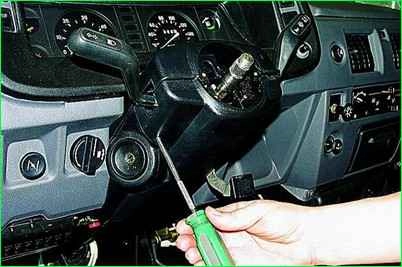
Using a flathead screwdriver, unscrew the two screws securing the steering column shrouds.
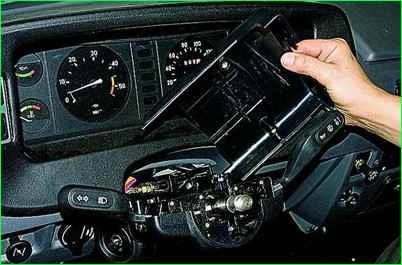
Remove the upper shroud.
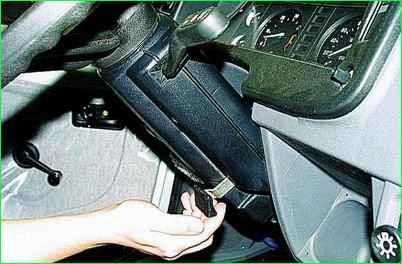
Move the steering column to the uppermost position.
Tilt the upper edge of the shroud towards you until its latch comes out of the column slot.
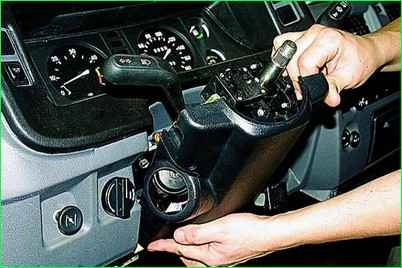
Remove the shroud by moving it upwards.
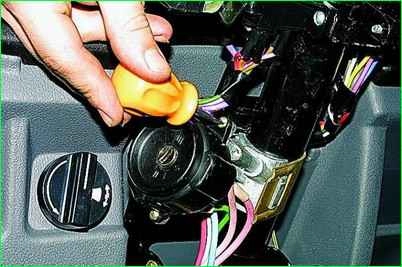
Using a flathead screwdriver, unscrew the two screws securing the contact part of the ignition switch.
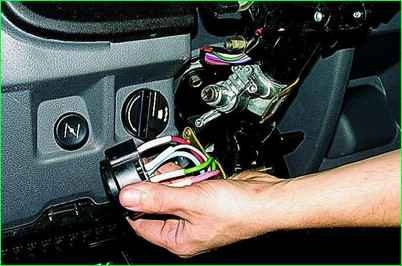
Remove the contact part from the switch housing.
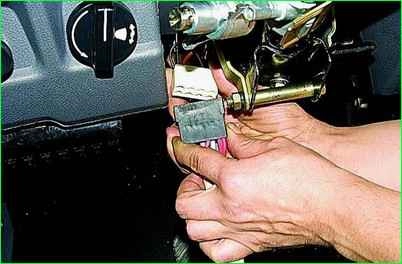
Disconnect the switch connector.
Connect the new switch to the connector, install it in place (aligning the groove in the hole with the protrusion on the switch), and secure it with the screws.
If the vehicle is equipped with a different type of ignition switch, replace the contact group as follows:
Remove the steering column shroud.
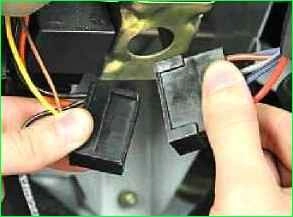
Disconnect the ignition switch wiring harness connector.
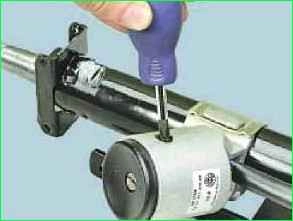
At the bottom of the ignition switch, unscrew the screw securing it to the bracket.
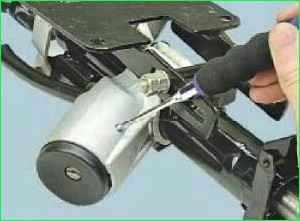
From the top of the switch, use a thin screwdriver to push the pin into the bracket body.
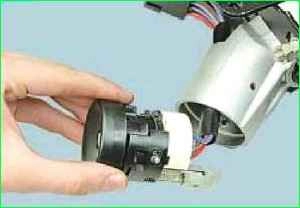
Remove the switch from the bracket.
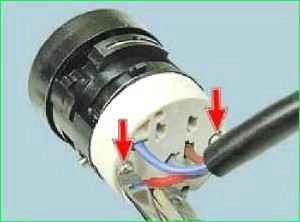
Unscrew the two screws securing the contact group to the switch.
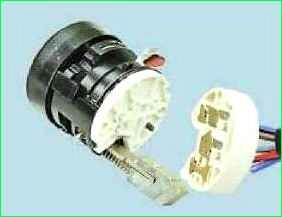
Disconnect the contact group from the switch.
If the new contact group does not have a wiring harness, desolder the wires from the terminals, having previously marked their position.
Marking is essential because two wires are blue and the contact group connector has no terminal markings.
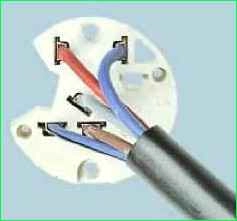
Solder the wires as shown in the figure.
Install the parts in reverse order.
Removing the complete ignition switch assembly
To remove the complete ignition switch assembly, it is advisable to remove the steering column (see article - How to remove, disassemble and adjust the steering column), then unscrew the two special bolts.
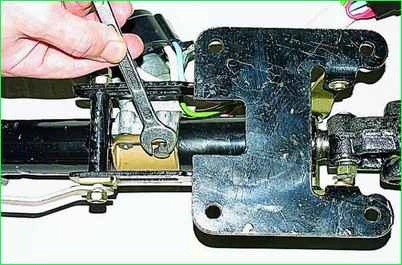
If their heads are not broken, unscrew them with a 10 mm spanner.
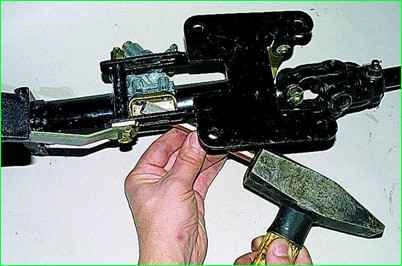
Otherwise, remove the contact part of the ignition switch to avoid cracking it, and use a thin chisel to loosen the bolts.
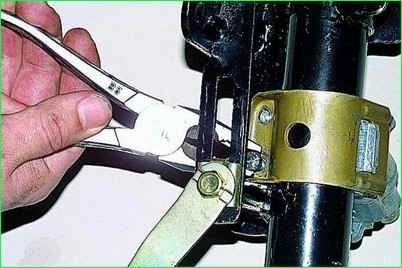
Unscrew the bolts with pliers.
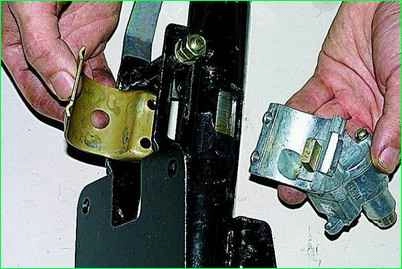
Remove the switch.
For subsequent assembly, use new special bolts. Their hexagonal heads can be broken off as anti-theft protection.


